

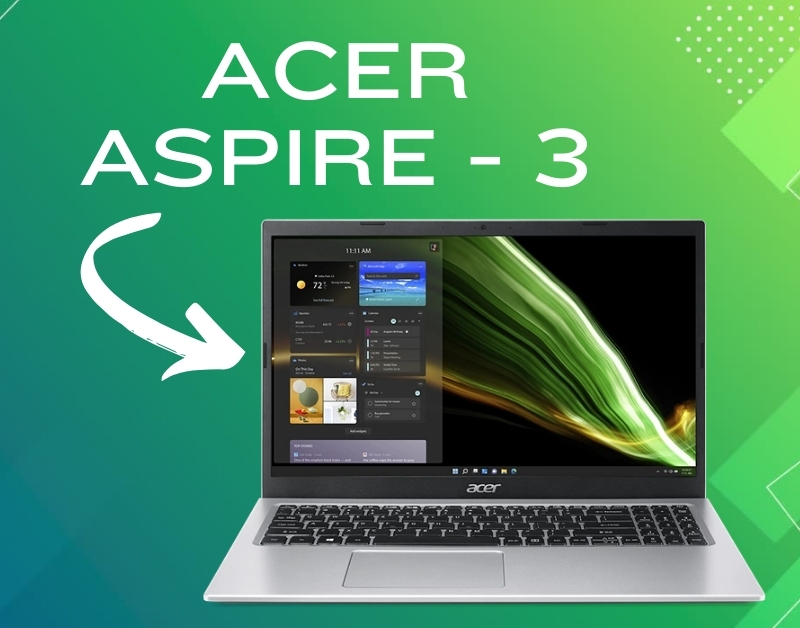
The Acer Aspire 3 sits comfortably in the budget laptop arena, tempting those seeking a reliable daily driver without breaking the bank. But is it all sunshine and rainbows under that affordable price tag? Let’s peel back the layers and see if this machine is your perfect match.
First Impressions: Looks that Don’t Scream Premium
Don’t expect a head-turning design here. The Acer Aspire 3 embraces a classic, no-frills aesthetic. The plastic chassis feels functional, not fancy, and while sturdy enough for everyday use, might not win any awards for premium materials. Still, it comes in a decent variety of colors, offering a touch of personality.
Lifting the Lid: Displaying the Basics
The screen is where some compromises become evident. Most models sport a Full HD TN panel, delivering decent visuals for browsing, watching videos, and working on documents. Colors are passable, though not particularly vibrant, and viewing angles are limited. Content creators or those seeking immersive entertainment might find themselves wanting more.
Keyboard and Trackpad: Typing on a Budget
The keyboard feels surprisingly good for a budget laptop. Keys offer decent travel and a satisfying click, making typing comfortable for extended periods. Backlighting, however, is a notable absence, which can be a bummer for late-night study sessions. The trackpad is spacious and responsive, making navigation smooth and effortless.
Under the Hood: Performance with a Caveat
Performance varies depending on the configuration you choose for your Acer Aspire 3. Entry-level models with Intel Pentium or AMD Athlon processors are suitable for basic tasks like web browsing and document editing. But if you plan on multitasking or dabbling in light photo editing, consider upgrading to an Intel Core i3 or AMD Ryzen 3 processor. Don’t expect to run demanding games or heavy-duty software in Acer Aspire 3 .
Storage Smarts: Opting for Speed and Space
Most models of Acer Aspire 3 come with an SSD, a welcome upgrade from traditional HDDs. This translates to faster boot times, quicker application launches, and an overall snappier experience. Storage capacity varies, so choose wisely based on your needs. If you store a lot of files or media, consider opting for a higher capacity SSD or even adding an external hard drive.
Battery Life: A Day’s Work on a Single Charge (Maybe)
Expect around 5-7 hours of battery life for light use, depending on screen brightness and workload. While not groundbreaking, it’s enough to get you through a school day or a workday without tethering to an outlet. Heavy multitasking or demanding applications will drain the battery faster, so keep your charger handy.
Port Authority: Staying Connected
The Acer Aspire 3 offers a decent selection of ports, including several USB Type-A ports, an HDMI port for connecting to an external monitor, and an SD card reader for transferring photos and videos. Some models even include a USB Type-C port, future-proofing your connectivity options.
The Verdict: Value for Your Money, with Limitations
The Acer Aspire 3 delivers on its promise of affordability, offering a capable machine for everyday computing tasks. It’s lightweight, portable, and packed with essential ports, making it a good choice for students, casual users, or anyone on a tight budget. However, remember the limitations: the build quality might not impress, the display is basic, and upgrade options are scarce.
Who Should Buy It:
Students looking for a reliable and affordable laptop for schoolwork.
Casual users who primarily browse the web, check email, and work on documents.
Anyone on a budget seeking a basic laptop for everyday tasks.
Who Should Look Elsewhere:
Users who need a powerful machine for demanding tasks like video editing or gaming.
Creative professionals who require a high-quality display for accurate color representation.
Those who prioritize premium build quality and future-proofing options.
Ultimately, the Acer Aspire 3 offers a compelling value proposition for budget-conscious users. Just be aware of its limitations and choose a configuration that aligns with your needs. If you’re looking for a basic, no-frills laptop that gets the job done, the Aspire 3 might be your perfect match. Just don’t expect it to be a performance powerhouse or a design marvel.